Convert Speech to Text Instantly With Our AI Tool
Stop replaying audio files again and again just to catch important points. Our Speech to Text tool turns spoken audio into clean, readable text within seconds. Whether it's a meeting, lecture, interview, or voice note, you get accurate transcription without effort.
No technical skills needed. No downloads required. Just upload your audio and get text instantly.
Drag and drop an audio file to transcribe or
Supported audio formats: MP3, WAV, OGG, FLAC, M4A, AAC
Explore More AI Tools
Discover our suite of AI-powered tools to boost your productivity
YouTube Summary with ChatGPT
Get instant AI-powered summaries of any YouTube video with key insights and highlights.
YouTubeYouTube Subtitle Downloader
Extract and download subtitles from any YouTube video in multiple formats.
YouTubeYouTube to Text
Convert YouTube videos to text format with AI-powered transcription and summarization.
YouTubeYouTube to Transcript
Generate accurate transcripts from YouTube videos with timestamps.
YouTubeYouTube Transcript Downloader
Download full transcripts from YouTube videos for easy reference and study.
YouTubeYouTube Transcript Generator
Generate transcripts from any YouTube video with AI-powered speech recognition.
YouTubeYouTube Video Summarizer
Get AI-powered summaries of YouTube videos with key points, insights, and highlights.
YouTubeVideo Summarizer
Upload any video and get an AI-powered summary with key points and insights.
Audio & VideoVideo to Text
Convert video files to text with accurate AI transcription.
Audio & VideoPodcast Summarizer
Get concise summaries of podcast episodes with key takeaways.
Audio & VideoSpeech to Text
Convert audio recordings to accurate text transcriptions.
Audio & VideoVoice to Text
Transform voice recordings into written text with AI accuracy.
Audio & VideoVoice Memo to Text
Convert voice memos to text for easy note-taking and reference.
Audio & VideoPaper Summarizer
Summarize academic papers and research documents with AI assistance.
DocumentsBook Summarizer
Get comprehensive summaries of books with key insights and themes.
DocumentsPPT Summarizer
Summarize PowerPoint presentations and extract key information.
DocumentsWord Summarizer
Summarize Word documents and extract important points.
DocumentsImage Summarizer
Analyze and summarize image content with AI-powered visual understanding.
DocumentsImage to Text
Extract text from images using advanced OCR and AI recognition.
DocumentsYouTube Video Downloader
Download YouTube videos easily.
YouTubeYouTube to MP3
Convert YouTube videos to MP3 format.
YouTubeYouTube Description Generator
Craft engaging descriptions for your YouTube videos.
YouTubeYouTube Hashtag Generator
Generate relevant hashtags for your YouTube content.
YouTubeYouTube Username Generator
Create unique usernames for your YouTube channel.
YouTubeYouTube Transcript Generator
Generate transcripts for YouTube videos.
YouTubeYouTube Thumbnail Downloader
Download YouTube thumbnails for your videos.
YouTubeYouTube Shorts Downloader
Download YouTube Shorts videos.
YouTubeTransitional Hooks
Go viral with transitional hooks.
Audio & VideoVideo Downloader
Download videos from multiple platforms.
Audio & Video Stop Listening. Start Reading Faster.
See How Speech to Text Works for You
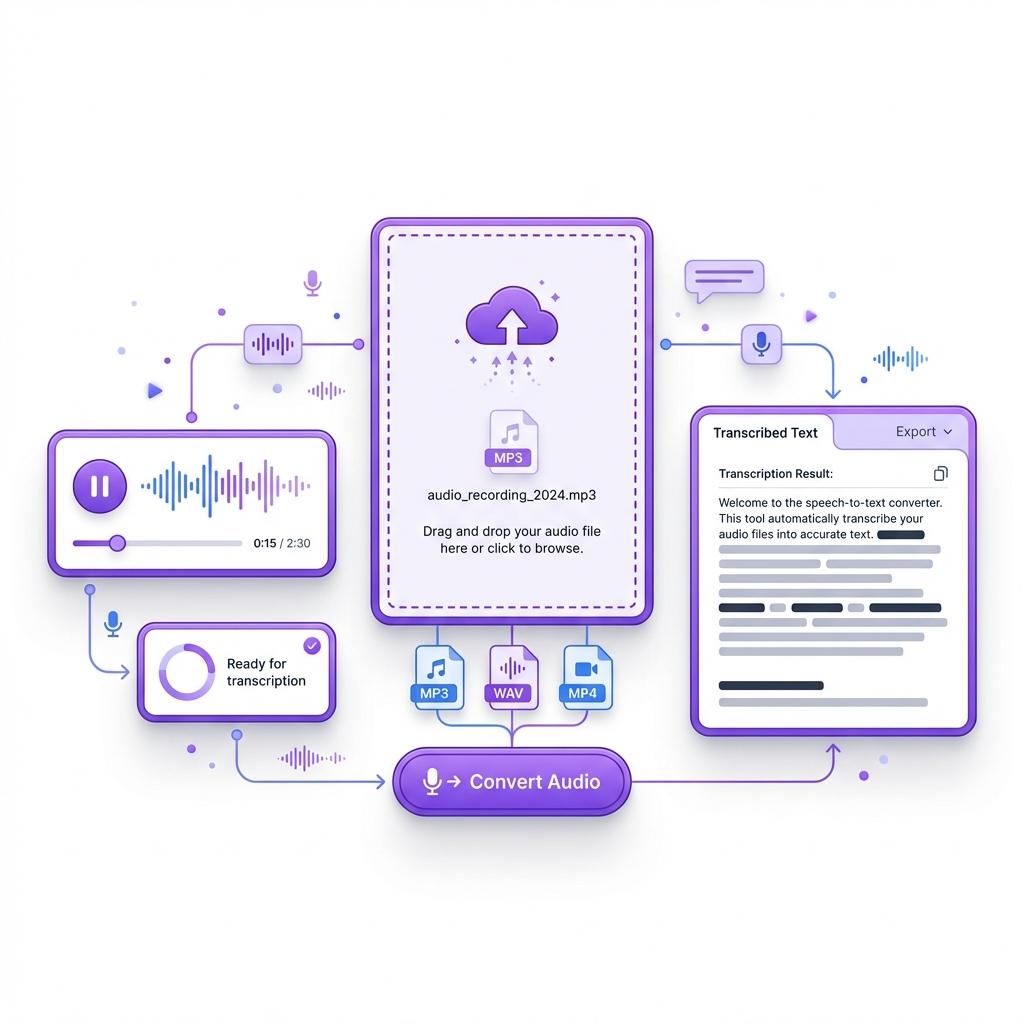
With our speech to text tool, turning audio into readable text takes only seconds. Simply upload your file, and the system converts spoken words into clear text automatically. There's no need to pause recordings, replay sections, or type anything manually.
Even long audio files become easy to review, search, and reuse. Instead of sitting through full recordings, you can scan the content, pull key points, and move on faster. That's why speech to text works so well for students, professionals, and anyone who deals with audio on a regular basis.
 Batch Processing
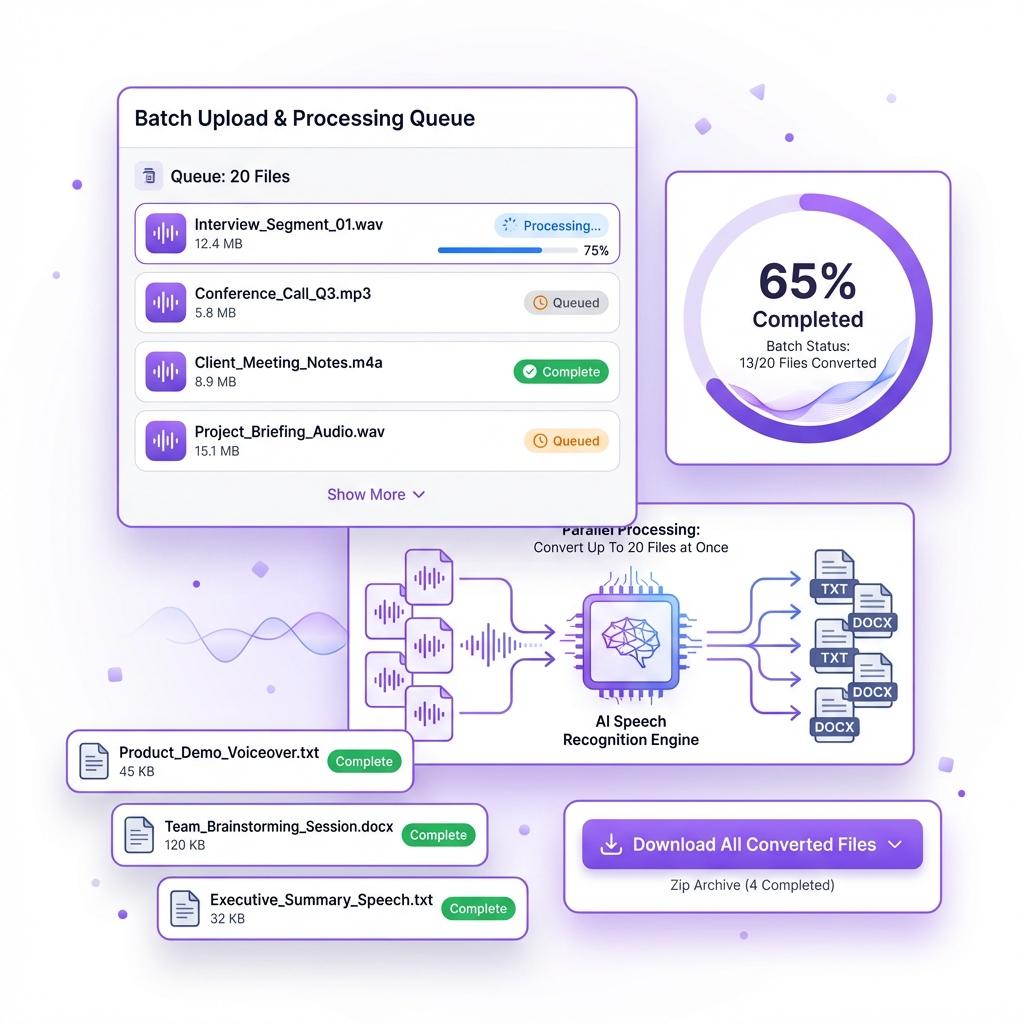
Convert Up to 20 Audio Files at Once
Working with multiple audio files doesn't have to slow you down. Our speech to text tool allows you to upload and convert up to 20 recordings in one go, so you're not stuck processing files one at a time. Whether you're dealing with interviews, lectures, or meeting recordings, batch processing helps you stay productive without interruptions.
Instead of waiting for each file to finish before starting the next, you can upload everything at once and let the system handle the workload. The tool processes each audio file individually while maintaining accuracy and formatting, even when files vary in length or quality. This saves hours of manual work and keeps your workflow moving smoothly.
Batch transcription is especially useful for people who work with large volumes of audio. Researchers can transcribe multiple interviews in one session. Students can convert entire lecture series into text. Journalists can process recorded conversations quickly. Teams handling meetings or internal discussions can generate written records without extra effort.
Simply upload your files, start the conversion, and let the speech to text engine do the rest. No switching between tabs. No repeated uploads. Just fast, reliable transcription at scale.
 No Limits
Accurate Transcription Even Without Perfect Audio
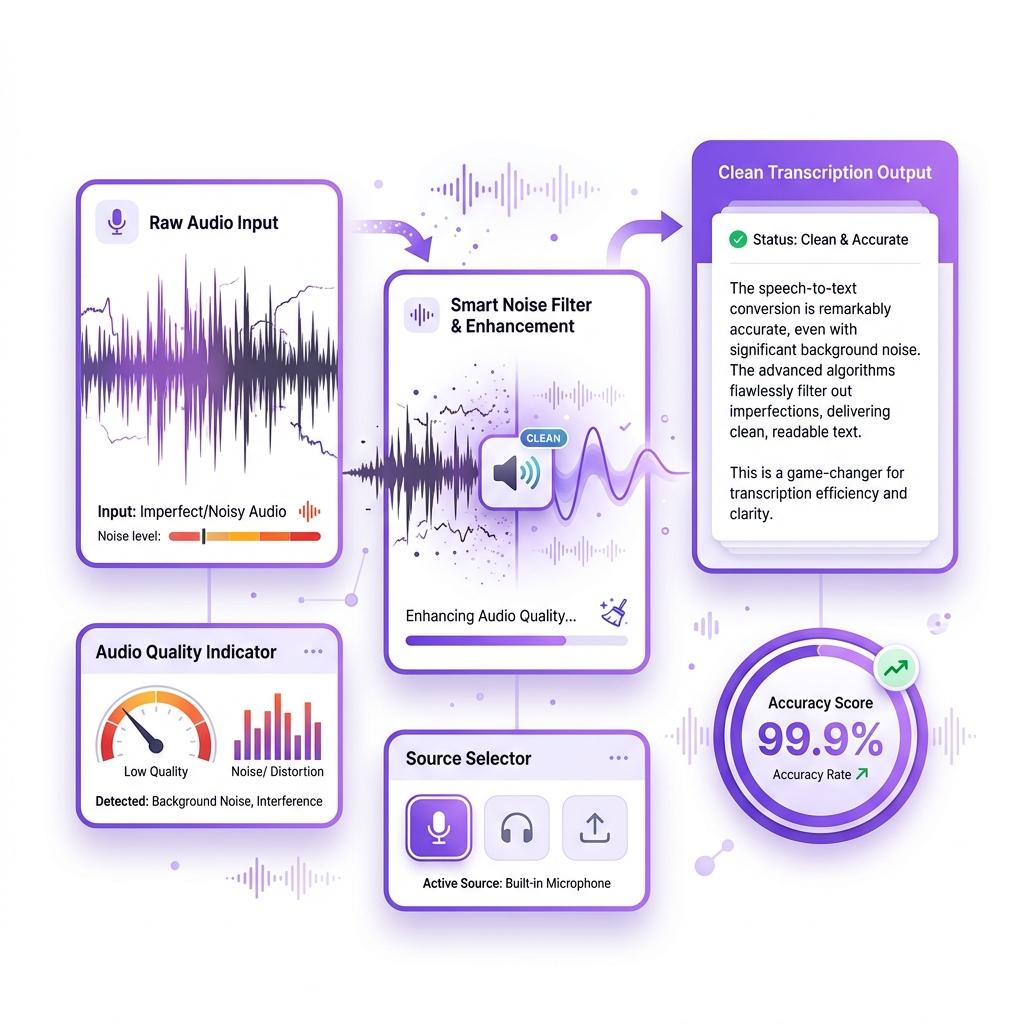
Most speech to text tools depend on clean, studio-quality recordings. Ours does not. This tool is built to handle real-world audio, where background noise, overlapping voices, or uneven sound levels are common. Whether the audio was recorded on a phone, laptop, or in a busy environment, the system still delivers clear and readable text.
The speech to text engine listens carefully to spoken words and filters out distractions to capture the actual conversation. That means you don't need professional microphones or soundproof rooms to get accurate results. Even fast speakers, casual conversations, or less-than-perfect recordings can be converted into usable transcripts.
This makes the tool ideal for everyday use. It works smoothly for meetings and conference calls where multiple people speak. It handles interviews and podcasts without losing context. Online classes and recorded lectures are converted into text you can review later. Field recordings and voice notes also process accurately, even when audio quality varies.
If someone is speaking, the tool can transcribe it. You focus on recording. The speech to text system handles the rest, giving you reliable text without extra effort or cleanup.
 Global Language Support
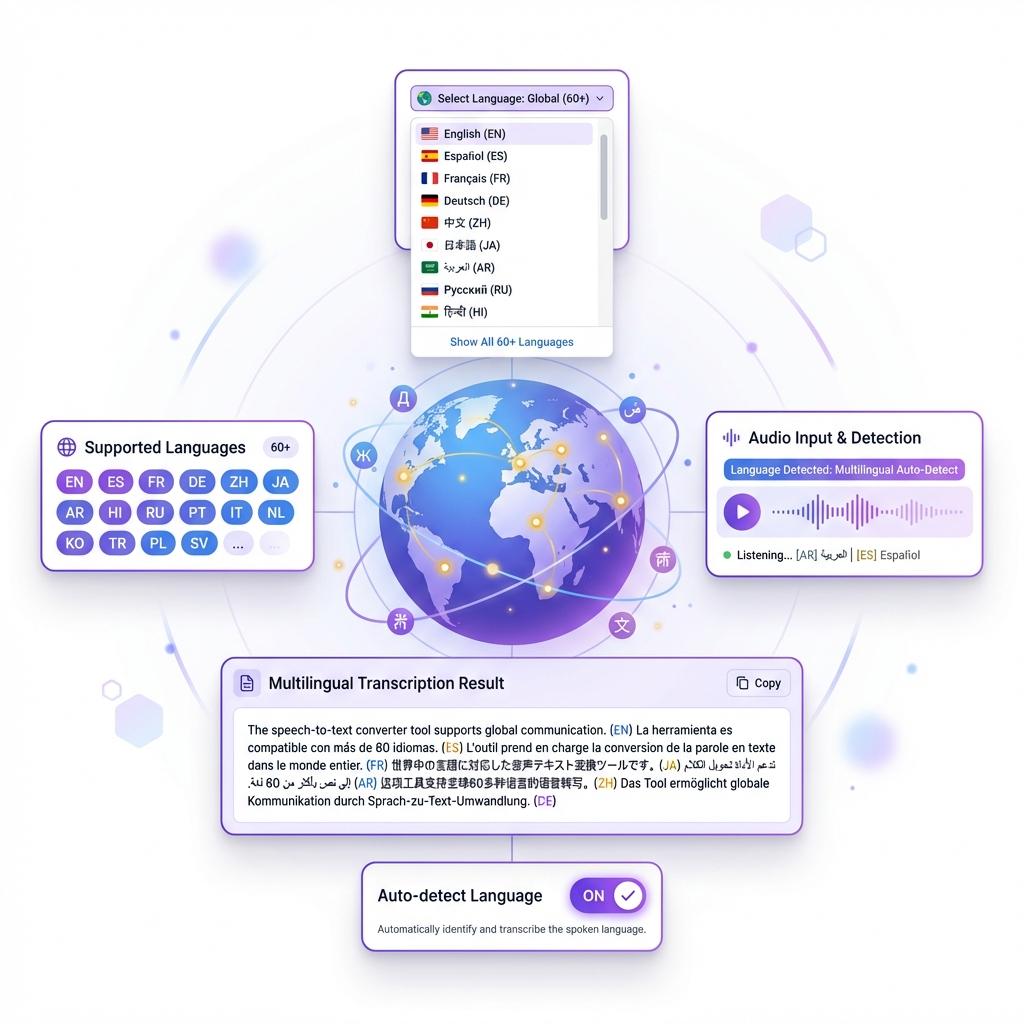
Convert Speech to Text in 60+ Languages
Language should never slow you down.
Our Speech to Text tool supports over 60 languages, allowing you to transcribe audio from speakers around the world. Whether it's English, Spanish, French, German, or another language, the output stays accurate and readable.
Great for:
- International meetings
- Foreign lectures
- Global research
- Multilingual content creation
Everything happens in one place. No extra tools required.
 Fast Results
Get Your Transcript in Under a Minute
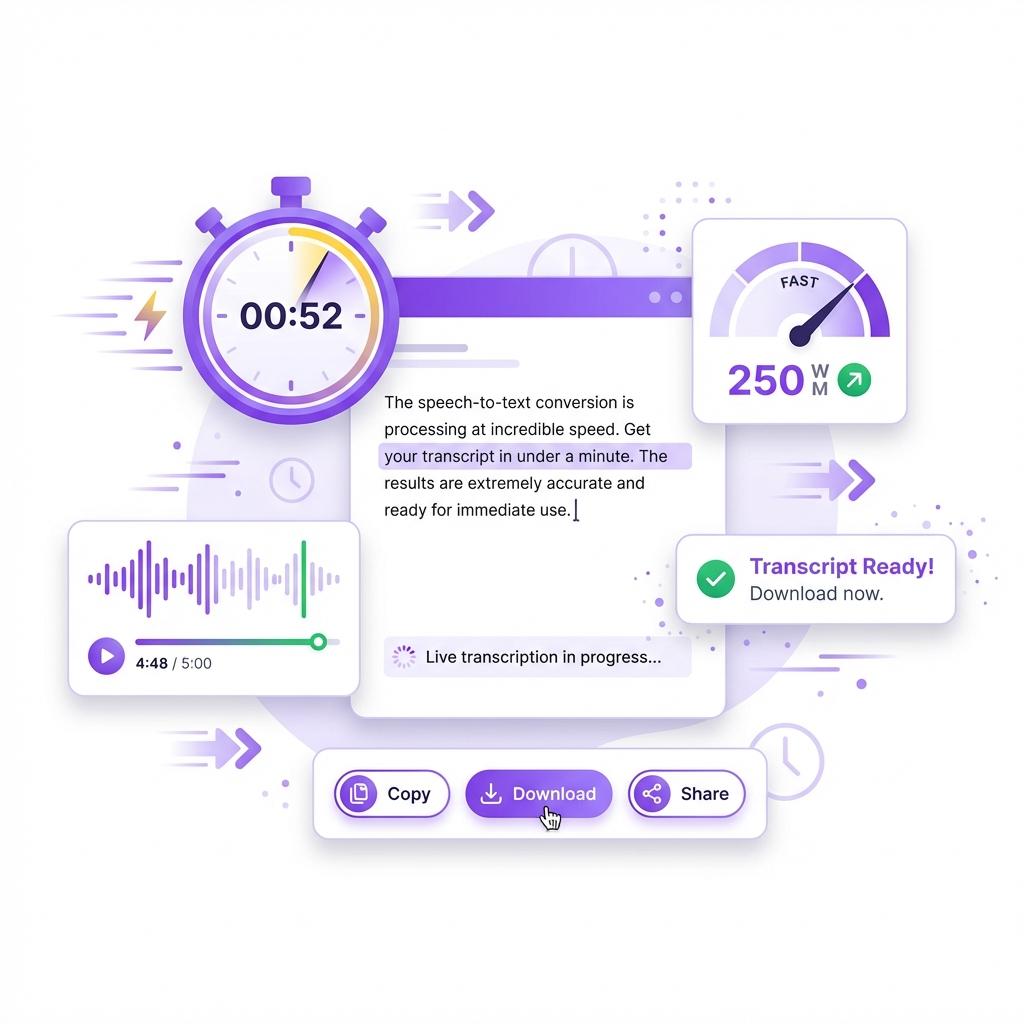
When you're working with audio, waiting around isn't an option. That's why our speech to text tool is designed for speed. You upload your file, click convert, and your transcript is generated in moments. No delays, no long processing times, and no unnecessary steps.
Even longer recordings are handled efficiently. The system processes audio quickly while maintaining accuracy, so you're not stuck watching loading screens or refreshing pages. Whether it's a short voice note or a full-length meeting recording, you get results almost instantly.
Fast transcription means you can move forward without interruption. Review your content, extract key points, or share the text right away. When time matters, having a tool that works this quickly makes a real difference in productivity.
What Is the Speech to Text Tool?
The Speech to Text tool is an AI-powered solution that converts spoken words into written text automatically. It listens to audio files, understands speech patterns, and produces structured text you can read, edit, or download.
You don't need special software or technical skills. Just upload your file and get your transcript instantly.
What makes it different:
- No length restrictions
- No subtitle dependency
- High accuracy
- Batch processing support
- Multi-language transcription
It's built for speed, clarity, and real-world use.
Why Speech to Text Is So Useful
Audio takes time. Text saves time.
Listening to long recordings slows productivity. With speech to text, you can scan, search, and understand content in minutes instead of hours.
It helps you:
- Learn faster
- Capture key points
- Save time
- Reuse content easily
- Stay organized
This isn't about cutting corners. It's about working smarter.
How to Convert Speech to Text Online
Step 1: Upload your audio file or paste a link
Start by uploading your audio file directly into the speech to text tool. You can also paste a supported audio link if your file is hosted online. The tool works with common formats such as MP3, WAV, and MP4, so there's no need to convert your file beforehand.
Step 2: Click the "Convert to Text" button
Once your file is uploaded, click the convert button to begin the transcription process. You don't need to adjust any settings or choose special options. The system is designed to work automatically.
Step 3: Let the AI process the audio
The speech to text engine listens to the audio, identifies spoken words, and converts them into written text. This happens quickly, even for longer recordings, without affecting accuracy.
Step 4: Review your transcript
Within seconds, your transcript appears on the screen in a clean, readable format. You can scroll through it, search for specific sections, or make small edits if needed.
Step 5: Copy or download the text
Once you're satisfied, copy the transcript or download it for later use. You can use it for notes, reports, captions, or documentation.
Step 6: Convert more files if needed
If you have additional recordings, simply upload another file or use batch mode to convert multiple audio files at once. The process stays fast and simple every time.
That's all it takes. No setup, no learning curve, and no wasted time—just fast and accurate speech to text results.
Frequently Asked Questions
Does this work without subtitles?
Yes. The tool does not rely on subtitles. It converts speech directly from the audio, even when captions are unavailable.
Can I transcribe audio in different languages?
Yes. The tool supports over 60 languages and automatically detects the spoken language.
Is there a limit to how many files I can convert?
You can convert multiple files, including up to 20 at once using batch processing.
How accurate is the transcription?
Accuracy is high for clear audio. Even with background noise or multiple speakers, the output remains reliable and readable.
What type of audio works best?
The tool works best with:
- Meetings
- Lectures
- Interviews
- Podcasts
- Voice recordings
Can I use it on my phone?
Yes. The tool works smoothly on mobile browsers with no app required.
Can I save or export the transcript?
Yes. You can copy, download, or store the text however you like. The content is fully yours to use.