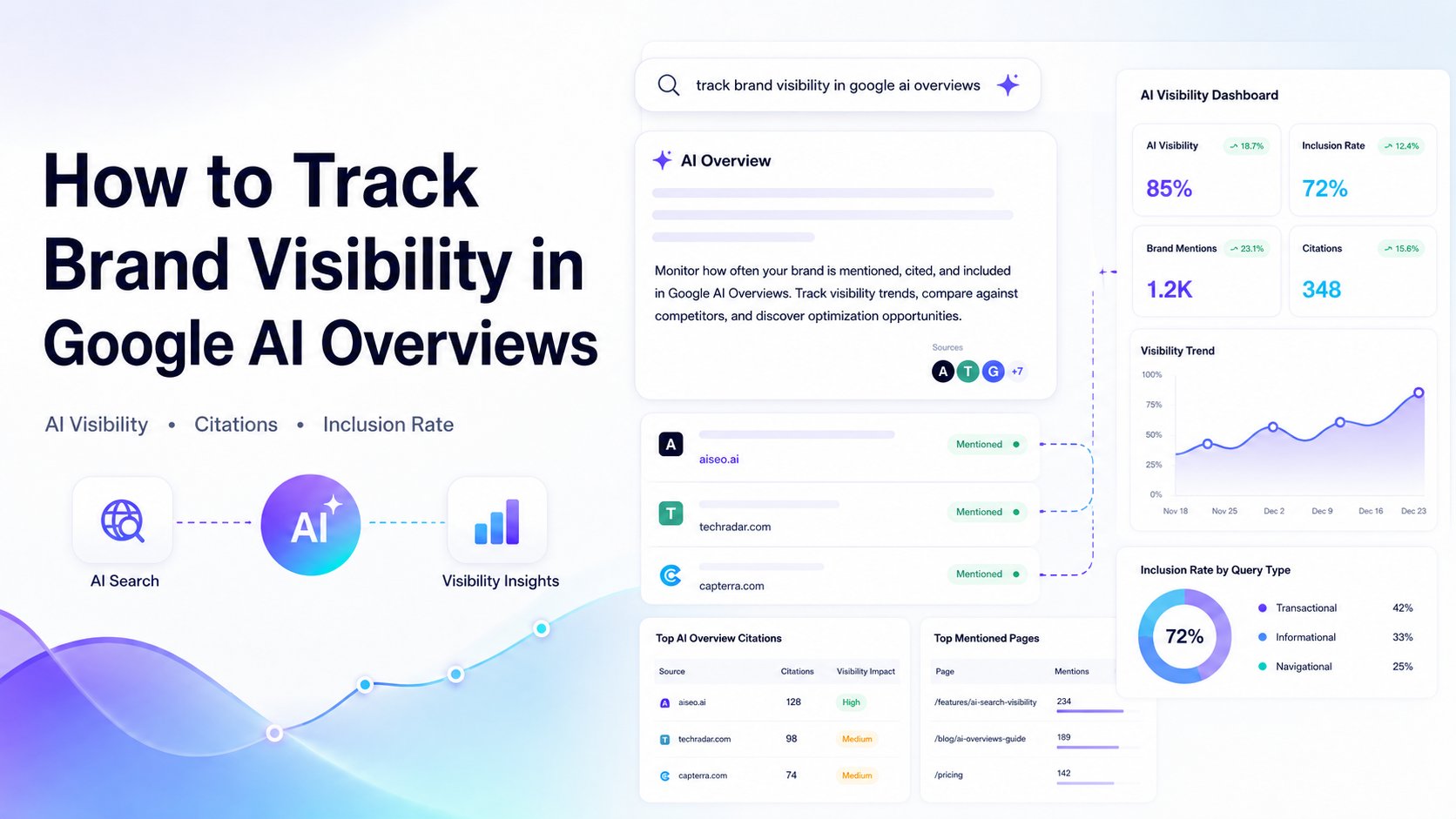
How to Track Brand Visibility in Google AI Overviews
Your brand ranks first for a high-intent keyword. Someone searches that query. Google generates a synthesized answer at the top of the page — and your brand isn't in it.
That's the visibility gap. Most teams don't catch it until traffic has already dropped.
Track brand visibility in Google AI Overviews is the process of monitoring whether and how often your brand name, products, or content are cited within Google's AI-generated answer boxes that appear at the top of search results. It involves using specialized tools and workflows to measure citation frequency, query coverage, and impression impact — giving marketers a factual baseline for how their brand surfaces in AI-driven search experiences.
The numbers make this urgent. According to Heroic Rankings' 2026 AI Overview statistics, organic click-through rates have fallen sharply for queries where an AI Overview is present. Meanwhile, SE Ranking's AI statistics research confirms that zero-click search behavior is accelerating. If you're not cited in the summary, you're largely invisible to users who never scroll past it.
This guide takes you from your first brand citation check through tool selection, KPI definition, and a repeatable monthly reporting workflow.
What You'll Need Before You Start Tracking Google AI Overviews
Before you touch any tool, get clear on what Google AI Overviews actually are and what access you need.
What Are Google AI Overviews (and What They Are Not)
Google AI Overviews are AI-generated summaries that answer a user's query directly on the search results page. They pull from multiple sources and present a synthesized answer — often before the user sees a single blue link.
They are not traditional featured snippets. A featured snippet pulls from one page. AI Overviews synthesize across three to five sources on average, selecting citations based on content authority, entity clarity, and structured data signals.
Tools and Access You'll Need Before Starting
You need four things before starting:
- Google Search Console access at the property level (not just user access)
- A Google account for manual spot-checks across different query types
- At least one AI Overview monitoring tool (covered in Step 3)
- A spreadsheet or dashboard tool for recording baseline data
Key Concepts: Citations, Impressions, and Brand Mentions
Three terms you'll use constantly:
| Term | What It Means |
|---|---|
| Citation | Your brand or content is referenced as a source inside an AI Overview |
| Impression | Google counted your page as appearing for a query (includes AIO appearances) |
| Inclusion rate | The percentage of relevant queries where your brand appears in the AI-generated answer |
Understanding these distinctions stops you from misreading Search Console data. An impression is not a citation. A citation is what actually matters for brand visibility.
Step 1: Audit Google Search Console for AI Overview Impression Signals
Search Console is your starting point — but it has a critical limitation you need to understand before drawing any conclusions.
How to Pull Impression and CTR Data in GSC
Open Search Console and navigate to Search Results under Performance. Set your date range to the last 90 days. Export the query-level data sorted by impressions. Filter for branded queries first: your brand name, product names, and common branded variations.
Look for two patterns: queries where impressions grew but clicks stayed flat, and queries where CTR dropped below historical norms without a ranking change.
Key Takeaway: A rising impression count paired with a falling CTR is one of the strongest signals that AI Overviews are intercepting clicks on that query.
Spotting the AI Overview Blind Spot in Your Data
Here's the problem. Search Console merges AI Overview impressions into your total impression count. When an AI Overview appears for a keyword, that appearance is added to your total without any label. You see "10,000 impressions" — but you can't tell how many involved an AI Overview.
Your content could be the primary source Google's AI references, driving brand authority and awareness, yet Search Console would show you nothing about it.
This is not a reporting glitch. It's a structural gap. The Search Console API returns the same merged data.
What GSC Can and Cannot Tell You About AIO Visibility
| GSC Can Tell You | GSC Cannot Tell You |
|---|---|
| Total impressions per query | Whether an AI Overview appeared |
| Average CTR per query | Whether your brand was cited in an AIO |
| Average position per query | How often your content sourced the answer |
| Click volume trends | Competitor citation share |
Use GSC to detect anomalies and establish baseline CTR benchmarks. Use third-party tools for everything else.
Step 2: Check If Your Brand Is Cited in AI Overviews Right Now
This step is about getting a fast, factual answer: does Google mention your brand in AI Overviews, and if so, for which queries?
Manual Spot-Check: Searching Your Brand Queries on Google
Start with a manual check. Open a private browsing window — this removes personalization. Search your brand name, your core product names, and three to five category queries where you'd expect to compete.
Record what you find in a simple spreadsheet:
- Query text
- Did an AI Overview appear? (Yes/No)
- Was your brand cited? (Yes/No/Partially)
- Which competitors were cited instead?
- Screenshot filename for documentation
Run this check across at least 20 queries. This gives you a rough inclusion baseline before you add any tooling.
Pro Tip: Run the same queries twice, a few minutes apart. AI Overview outputs are probabilistic, not fixed. The same query can produce different citations on consecutive runs. That inconsistency is itself a data point.
Using Otterly to Monitor AI Overview Brand Citations at Scale
Manual checks don't scale. Otterly is a specialist tool built specifically to track AI Overview presence and citation data across large query sets. You enter your target queries, Otterly runs them at scale, and returns structured data on whether your brand appeared and which sources were cited.
Otterly is particularly useful for agencies managing multiple clients, because it separates branded and non-branded query tracking and reports citation rate as a percentage rather than a raw count.
The limitation: Otterly focuses primarily on Google AI Overviews. If your brand needs monitoring across ChatGPT, Perplexity, Gemini, and Grok as well, you need a tool with broader platform coverage.
AISEO: Track Brand Mentions Across AI Overviews and Beyond
This is where AISEO's Brand Monitor covers ground that single-platform tools miss. AISEO tracks your brand citations not just in Google AI Overviews, but across ChatGPT, Grok, Perplexity, and Gemini — giving you a unified view of your AI visibility footprint.
For teams that want to go further, AISEO's Reddit Agent surfaces brand mentions and discussion threads on Reddit, one of the platforms AI systems most frequently cite when validating brand claims.
AISEO's pricing sits well below enterprise tools like Semrush Copilot or Meltwater, making it the most cost-effective option for brands that need cross-platform AI visibility data without an enterprise contract.
Step 3: Choose the Right AI Overview Monitoring Tools for Your Scale
One tool rarely covers every need. Match the tool to your team size, budget, and query volume.
Enterprise Tools: Semrush and Meltwater
Semrush added AI Overview tracking to its Position Tracking module. It monitors whether an AI Overview appears for tracked keywords and logs citation source data. Strong integration with existing Semrush workflows makes it appealing for teams already in the platform. Cost is high: mid-to-large plans start at $250+ per month before AI features are unlocked.
Meltwater approaches AI Overview tracking from a media intelligence angle. It's built for brand monitoring at scale and integrates AIO data with broader earned-media and social listening reports. Best fit: enterprise communications teams tracking brand narrative across all channels simultaneously. Not purpose-built for SEO query-level analysis.
Mid-Market and Specialist Options: Otterly and Topify
Otterly (mid-market, Google AIO specialist) is the right choice when your primary concern is Google AI Overview citation rate across a defined query set. Clean UI, fast exports, direct citation attribution.
Topify offers AIO tracking with sentiment scoring — it logs not just whether your brand appears, but how the AI characterizes your brand (leading option, budget pick, niche alternative). Sentiment framing matters almost as much as inclusion.
Budget Pick: Why AISEO Covers More AI Platforms for Less
The old way was tracking Google rankings alone. The new reality is that AI citations happen across five or more platforms simultaneously, and your brand's AI visibility score is the aggregate of all of them.
AISEO covers Google AI Overviews, ChatGPT, Grok, Perplexity, and Gemini from one dashboard at a fraction of enterprise pricing. For teams under 10 people, or agencies managing 5–15 clients on tight margins, AISEO is the practical choice.
Key Takeaway: Buy the tool that matches your platform coverage need, not just your Google need. AI visibility is multi-platform by default.
Step 4: Define Your AI Overview Brand Visibility KPIs
Data without KPIs is noise. Set these metrics before your first full tracking run.
The Core Metric: AI Overview Inclusion Rate Explained
AI Overview inclusion rate is the percentage of relevant queries where your brand appears in the AI-generated answer. Calculate it this way:
Inclusion Rate = (Queries with brand citation ÷ Total queries tracked) × 100
If you track 100 branded and category queries and your brand appears in 23 of them, your inclusion rate is 23%.
Because AI outputs are probabilistic, run each query at least twice and average the results. Only 30% of brands maintain consistent visibility across multiple regenerations of the same query, which means a single-run check understates your actual rate.
Secondary KPIs: Citation Frequency and Competitor Share of Voice
Track three secondary metrics alongside inclusion rate:
- Citation frequency: How many times per week your brand is cited, across all tracked queries
- Competitor share of voice: Which brands appear in the queries where you don't
- Position index: Whether your brand appears first, second, or third in the AI narrative (first position correlates with stronger downstream engagement)
How to Baseline Your KPIs Before Optimizing
Log your current inclusion rate, top five competitor brands appearing in your gap queries, and average position index. Set a 30-day re-measurement date. Don't optimize yet. A baseline taken before any changes is what makes your future improvement data credible to stakeholders.
Step 5: Act on Your Data — The Brand Inclusion Improvement Playbook for GEO Brand Visibility
You have your baseline. Now fix the gaps. This is where generative engine optimization (GEO) — structured content changes designed to increase AI citation rate — becomes your primary lever.
According to research published by Genesys Growth, brands that structure content for AI extractability see measurably higher citation rates than those optimizing for traditional ranking signals alone.
Content Fixes That Increase AI Overview Citation Likelihood
The Princeton GEO paper found that adding inline source citations, named statistics, and expert quotes increased AI citation rates by up to 40%. Apply that directly:
- Open each key page with a definition sentence: "X is Y" in the first paragraph
- Add at least one named statistic with a source attribution per 250 words
- Write 40–60 word answer capsules near the top of each page — AI engines extract from the first 30% of content most often
- Remove hedge language: "may," "could potentially," "it seems" — state claims as facts
Entity and Structured Data Optimizations for AIO Inclusion
AI Overviews prioritize content that is machine-readable — meaning structured data signals the content's meaning directly to Google's systems.
Add FAQPage schema to pages answering discrete questions. Add Article schema with named author, datePublished, and headline. Ensure your brand entity is consistent across your Google Business Profile, Wikipedia mentions, and structured data markup. Consistency in entity signals is what makes your brand interpretable to AI systems at query time.
Using AISEO's Optimization Features to Close Visibility Gaps
After identifying your gap queries — the ones where competitors appear and you don't — use AISEO's content tools to audit those pages. The AISEO brand essence generator helps you define the exact language and entity claims your content should consistently use, so your brand signal is coherent across every page AI systems might sample.
AI visibility becomes engineered, not hoped for.
Step 6: Build a Repeatable Monthly AI Overview Reporting Workflow for AI Visibility Tracking
One-time audits decay. Build a system that catches changes before they become crises.
The Monthly AIO Brand Audit Checklist
Run this checklist on the first Monday of every month:
Export GSC impression and CTR data for the past 30 days
Flag any query where CTR dropped more than 3 percentage points month-over-month
Run your full tracked query set through your AIO monitoring tool
Record inclusion rate, position index, and competitor share of voice
Compare to last month's baseline
Log new queries where AI Overviews now appear for the first time
Building a Reporting Dashboard: GSC Plus Third-Party Tools
Your dashboard needs two data sources side by side: GSC CTR trends and your AIO tool's inclusion rate trends. Build it in Google Looker Studio or a simple Google Sheet.
Core columns: Query, Month, Impressions, CTR, AIO Present (Y/N), Brand Cited (Y/N), Competitor Cited, Inclusion Rate.
This format makes stakeholder reporting clear: when inclusion rate rises and CTR stabilizes, you have proof that AIO optimization is working.
Setting Alerts and Automating Brand Citation Monitoring
Set weekly email alerts in your AIO tool for any tracked query where brand citation drops to zero. Use AISEO's brand monitoring alerts to catch new AI platforms citing competitors in categories where you currently lead. Automation turns reactive brand defense into proactive strategic infrastructure.
Troubleshooting Common AI Overview Tracking Problems
Why Your Tool Shows Zero Citations (and How to Fix It)
Zero citations usually mean one of three things: your query set doesn't trigger AI Overviews for your location or device setting, your brand entity isn't clearly established in Google's knowledge graph, or your tracked queries are too narrow.
Fix it: expand your query set to include category-level queries, not just branded terms. Check that your brand name appears consistently in your structured data, Google Business Profile, and Wikipedia. Run your queries in a US-based browser session if your tool defaults to a non-US market.
Dealing with Inconsistent AIO Triggering Across Locations
AI Overviews don't appear uniformly across geographies. A query that triggers an AIO in the US may return standard blue links in the UK or Australia. Track by location segment, not globally. Most enterprise tools let you specify a country. AISEO allows location-specific monitoring across its tracked platforms.
When GSC Impressions and AIO Tool Data Don't Match
They will never match exactly. GSC counts every impression including those where no AIO appeared. Your AIO tool counts only queries where an AI Overview was generated. Expect GSC impression counts to be 2–10x higher than your AIO tool's triggered query count. That gap is not a tool error. It's the measurement difference between "page appeared in search" and "AI Overview appeared for this query."
Report them separately in your dashboard. Never blend them into a single metric.
Frequently Asked Questions
Does Google Search Console show AI Overview impressions separately?
No. Google Search Console merges AI Overview impressions into your total impression count with no filter or segmentation option. You cannot isolate which impressions came from queries where an AI Overview appeared, and you cannot see whether your content was cited as a source inside one. Use a dedicated AIO tracking tool alongside GSC to get citation-level data.
What tools can track brand mentions in Google AI Overviews?
Several tools offer AIO citation tracking at different price points. Otterly and Topify are specialist options focused on Google AI Overviews. Semrush and Meltwater cover AIO within broader enterprise monitoring suites. AISEO is the budget-friendly option that also tracks brand mentions across ChatGPT, Grok, Perplexity, and Gemini from a single dashboard — useful for teams that need multi-platform AI visibility data without enterprise pricing.
How do I know if my brand is cited in a Google AI Overview?
The fastest check is a manual search: open a private browser window, search your brand name and core category queries, and look for an AI-generated summary at the top of results. If one appears, check whether your brand name or domain is listed as a cited source. For ongoing monitoring at scale, you need an automated tool — manual checks don't catch citation changes as they happen and aren't reliable across query volumes above 20–30 terms.
What is the AI Overview inclusion rate and how is it measured?
AI Overview inclusion rate is the percentage of your tracked queries where your brand appears in the AI-generated answer. Calculate it by dividing the number of queries with a brand citation by the total queries tracked, then multiplying by 100. Because AI outputs vary across runs, measure each query at least twice and average the results before recording your rate. This metric is your primary KPI for tracking AI visibility trends month over month.
Start Tracking — Then Start Winning
Your brand's organic rankings no longer tell the full story. AI Overviews now sit above the blue links, synthesize answers from multiple sources, and shape what users believe before they ever visit a site.
The marketers who track Google AI Overviews brand tracking as a core monthly practice — not a one-time audit — are the ones who catch visibility drops before they become traffic drops.
Start this week: pull your GSC data, run a 20-query manual spot-check, and set up AISEO's Brand Monitor to automate citation tracking across Google, ChatGPT, Perplexity, Grok, and Gemini. Establish your baseline inclusion rate. Set your 30-day re-measurement date.
Visibility in AI search doesn't happen by accident. It gets built, measured, and defended — one query at a time.
About the Author

Dilyar Buzan is the founder and CEO of AISEO.ai, an AI-native SEO platform. With a background in AI from the University of Amsterdam, Dilyar specializes in Generative Engine Optimization (GEO), Answer Engine Optimization (AEO), and AI-driven content strategy, helping brands earn visibility across ChatGPT, Perplexity, Google AI Overviews, and traditional search. He's also co-founder of Sceneform.ai, an AI content platform for brands and creators.